I have tested PacketStream myself and have been paid by it. Below is my payment proof, how sharing your bandwidth works, what it pays, and the problems readers report before you install it.

Tested by Mikael (EarnWithMike)Founder and lead testerMikael founded PaidFromSurveys in 2016 and has personally tested hundreds of survey and GPT sites since then. He shows his tests and payment proof to 555K+ subscribers on his YouTube channel, EarnWithMike. He tested PacketStream himself and shows his payment proof in his video.Learn more about Mikael
Legit and passive, but the rewards are low
Pays through PayPal from $5 for sharing your bandwidth. Easy, but slow, and it can slow down your internet.
On this page
The short answer
PacketStream is legit. It pays, and I show my payment proof in my video. It is a peer-to-peer proxy network that pays you for sharing your bandwidth, similar to Honeygain. You just let the software run in the background.
But the rewards are fairly low, and sharing your bandwidth can slow down your internet connection. It pays only through PayPal, with a 3% fee. Some readers report bans and lost balances.
- Offers a passive way to earn
- Offers payment via PayPal
- Low payout threshold: $5
- Available globally
- 20% referral commission, paid by PacketStream
- Limited earning opportunities
- Fairly low rewards
- Can slow down your internet connection
- PayPal is the only payout method, with a 3% fee
- No mobile app
My experience with PacketStream
I installed the PacketStream software, shared my bandwidth and was paid through PayPal. This is what I did myself, and what I did not test.
- First tested
- December 2020Review first published Dec 4, 2020
- Latest retest
- Checked: software, payouts, referral program
- Paid out through
- PayPalThe only payout method
- Payment proof
- In my videoShown in the payment proof section
- Signing up as a Packeter
- Installing the PacketStream Client on my computer
- Sharing my bandwidth in the background
- A cashout to PayPal, shown in my video
- Checking my earnings on a phone browser
- Running PacketStream on several devices with different IPs.
- The email support.
Payment proof
I know from experience that PacketStream does actually pay. In the video below, I show exactly how it works, how you can earn from it, and my payment proof.
Screenshots from my account
PacketStream has paid me through PayPal. It is free to join from any country.
Join PacketStream freePacketStream at a glance
| What it is | Peer-to-peer proxy network. It pays you for sharing your bandwidth, similar to Honeygain. |
|---|---|
| Cost to join | Free |
| Minimum age | 18, because you need a PayPal account to get paid |
| Ways to earn | Sharing your bandwidth, referrals |
| How you are paid | For the amount of data you provide by sharing your bandwidth |
| Referral commission | 20% of what your referrals earn, paid by PacketStream |
| Minimum cashout | $5 |
| Payout method | PayPal only, with a 3% fee |
| Devices | The PacketStream Client for Windows, Mac and Linux computers, around 70+ MB. No mobile app. |
| Where you can join | Globally, in countries where PayPal is available |
| Support | Support page with FAQs, and email: [email protected] |
Is PacketStream legit and safe?
Yes, PacketStream is legit. It has paid me. But that does not mean it is the right fit for you. Here is what you should know before you install it.
- Some readers report bans and lost balances
Several readers wrote that PacketStream banned their account or IP and kept their balance. The FAQ says you can only run it on one device unless your devices have different IPs. I agree they should not ban people for this without warning.
- It can slow down your internet
Your connection speed suffers when your bandwidth is being used. You can set the software to not share bandwidth while you use your computer, or only run it when you sleep or are away.
- Your computer has to stay on
To earn while you are away, your computer has to run. That costs electricity, so depending on the prices in your country, it is not always profitable.
- PayPal only, with a fee
PayPal is the only payout method, and a 3% fee is taken from each cashout. Make sure you have a PayPal account and live in a country where PayPal is available.
My takeIf you are looking for a passive way to earn extra cash, PacketStream can be an option. It offers a very easy way to earn, and it has a convenient payment method. But in my opinion, it is more beneficial if you are not an “internet person”. If you use your connection constantly, the software can become quite annoying because it slows it down. So, I would only recommend it if you do not use your internet connection a lot.
How you earn on PacketStream
There are 2 ways to earn. Sharing your bandwidth is the main one. Tap one to read more.
Sharing your bandwidthMain earner, passive
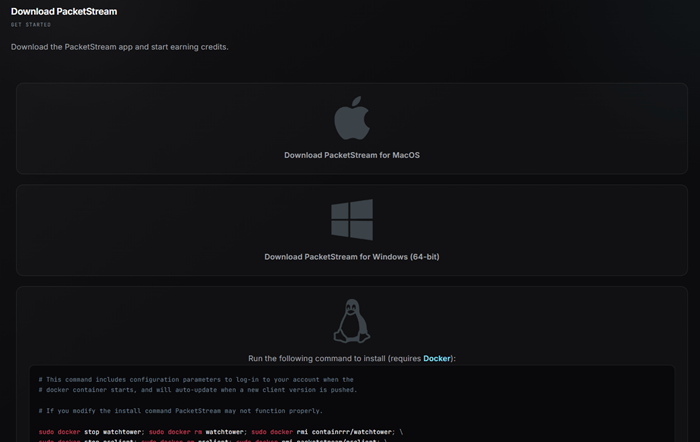
When you sign up, click the “Earn Money” button. You then become a Packeter. Download the PacketStream Client from the dashboard, install it and log in. That is it: you start earning credits while it runs in the background.
The software passively assigns your bandwidth to customers. They use it to reach web content that might otherwise be blocked or changed, for example content that is only available in certain regions.
Your connection slows down while your bandwidth is used. You can set the software to not use any bandwidth while you use your computer, so you are never forced to share.
Referral program20% commission
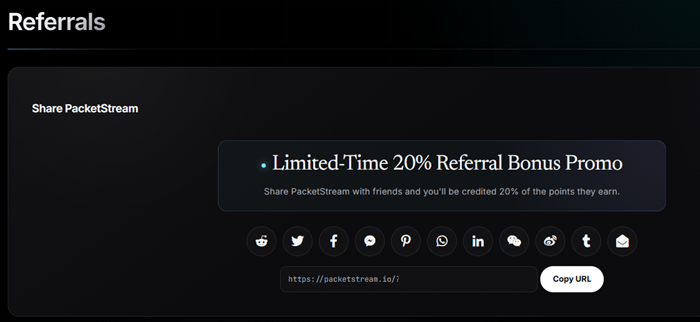
Invite people with your invite link. You get a 20% commission on whatever your referrals earn. PacketStream pays this; it is not deducted from your referral’s earnings.
It is a decent rate, in my opinion. But you only earn if your referrals really share their bandwidth.
Click to Join PacketStream Now
How much can you make?
Two things decide it: the speed of your internet connection, and how often you let the software share your bandwidth. With a faster connection, you sell more data at a faster rate, so you earn faster.
If you use your computer a lot, running the software in the background slows you down. So the best times are when you are out or asleep. But then your computer has to stay on, which costs electricity.
You can run PacketStream on several devices, but this only makes sense if they have different IPs and do not share the same connection.
It takes patience to earn on PacketStream. But you do not have to do anything, so you earn passively. If you use your computer a lot, you will not earn a decent amount in a short time.
Payout method, minimum and fee
| Method | Minimum | Fee |
|---|---|---|
| PayPal | $5 | 3% of each cashout |
You are paid for the amount of data you provide by sharing your bandwidth. Once you have earned $5, you can request a payment through PayPal, the only payment method. Make sure you have a PayPal account before you join.
I like the low threshold: you can request payouts quicker and more often. For more sites like this, see the fastest-paying sites.
What 18 readers told me
This review has 18 comments since December 2020: 10 from readers and 8 replies from me. These are the things readers mention most.
Readers report bans for cheating or for a non-residential IP, and balances that were not paid. The FAQ says one device per IP.
It depends on your connection speed and how often you share your bandwidth. Both are explained in this review.
One reader confirmed being paid.
“They will let you run it like that until you make enough money that they ban your account to prevent paying out.”
Mikael: In their FAQ section, it actually says very clearly you can only use it on one device unless you have different IPs. I agree they should not ban you for this without warning though.
“I’m a simple user 1 IP, 1 device. Accused me of cheating, abusing their system. Kept my funds and no email response…”
Mikael: Thanks for sharing your experiences.
“Does packetstream give me 20$ per month or more?”
Mikael: I explain everything about the earning potential in the review above.
PacketStream alternatives I have tested
| Site | Best for | Min. cashout | My rating |
|---|---|---|---|
| Pawns | Passive earning by sharing internet, plus surveys and games | $5 | 4.4 / 5 |
| Honeygain | Completely passive: share your unused internet | $20 PayPal; $0.50 through JumpTask | 3.7 / 5 |
| EarnApp | Passive earning from your unused internet, PayPal and Wise | $2.50 PayPal and Wise | 3.1 / 5 |
Want to earn more in less time? See the top survey and GPT sites in your country. They are not passive, but you can earn a decent amount without investing a lot of time.
How I scored PacketStream
I use the same 100-point system for every platform. See how I test and rate.
PacketStream scores 66 out of 100. It is a passive extra if you do not use your internet a lot.
Join PacketStream freePacketStream FAQ
Is PacketStream a scam?
No. PacketStream is a legit platform that pays you for sharing your bandwidth. I have been paid by it, and I show the payment proof in my video. Some readers report bans, so follow the rules in its FAQ.
What is the minimum payout?
$5.
How does PacketStream pay?
Only through PayPal. A 3% fee is taken from each cashout.
Can I use PacketStream on my phone?
There is no mobile app; the software runs on Windows, Mac and Linux computers. You can log in on your phone’s browser to check your earnings.
Can I run PacketStream on several devices?
Yes, but only if they have different IPs and do not use the same internet connection. The FAQ says you can only use one device unless you have different IPs.
Does PacketStream slow down my internet?
Yes, when your bandwidth is being used. You can set the software to not share bandwidth while you use your computer.
Who can join PacketStream?
Anyone, globally. You need to be at least 18 and live in a country where PayPal is available, because PayPal is the only payout method.
How do I contact PacketStream?
Check the Support page first. Otherwise, email [email protected]. There is no contact form.
How to join PacketStream
- Click the button below to go to the PacketStream website, and fill out the sign-up form.
- When it asks why you joined, click “Earn Money” to become a Packeter.
- Download the PacketStream Client from the download section of your dashboard and install it.
- Log in to the software and let it run in the background, ideally when you are not using your computer.
If you have any comments, questions, or experiences with PacketStream, I would love to hear from you in a comment below.
Who tested PacketStream for this review
Founder of PaidFromSurveys.com since 2016. Mikael has tested hundreds of survey and GPT sites and shares his tests with 555K+ subscribers on YouTube (October 2026).
Packetstream claim of $1 per gb is vague, they calculate bandwith 3 or 4 times more than other providers, thus you are actually charged more than other providers like oxylabs or brightdata or smartproxy.
For example for 10 web links packetstream will calculate 300mb – 500mb of data. while oxylabs will calculate it 100mb or less..so do the maths, they are trick you in to thinking its cheap , a big fraud indeed LOL
Thanks for sharing your experiences and opinion.
I’m a simple user 1 IP, 1 device. Accused me of cheating, abusing their system. Kept my funds and no email response, fraudulent company.
Thanks for sharing your experiences.
I’m from Indonesia and I also experienced the same thing using 1 IP 1 Device… I saw traffic using the packetstream software in the last few days increasing sharply. after that my IP was blocked and i couldn’t access their website and accused me of cheating. Scam company. I also looked at Trustpilot’s reviews and some of them experienced the same thing as me.
got up went to pc looked at dashboard got a white screen so tried going to website and got black screen i contacted them and found out i had been ip banned for apparently not being a residential ip which i was a residential ip address and was told there was nothing they could do as it was a third party that deals with that and that was where they left it no other options they took all the bandwidth and didnt pay just got banned my advice is avoid at all cost nothing but a scam from a very dodgy company
Thanks for sharing your experiences.
Unfortunately they appear to be fraudulent. If you read their terms of service nowhere does it state that you can’t run more than one instance, and if you have the bandwidth available why wouldn’t you. They will let you run it like that until you make enough money that they ban your account to prevent paying out.
Look for other options.
Thanks for sharing your experiences.
In their FAQ section, it actually says very clearly you can only use it on one device unless you have different IPs. I agree they should not ban you for this without warning though.
And a FAQ is not the same as a TOS. I did not violate any Terms, so a ban is unwarranted. They had the means to communicate with me and chose not to.
I am not trying to defend what they did. I was just making you aware that this is mentioned in the FAQ section. I have honestly not read all of their terms so cannot say anything about that. But as mentioned, I agree they should have communictaed about this instead of just banning.
Hey Michael,
I live in India my internet connection speed is 20 mbps speed
And it costs me 15$ per month
Does packetstream give me 20$ per month or more?
Please reply
I explain everything about the earning potential in the review above.
packetstream pays
https://imgur.com/FPjksz8
Thanks for sharing your experiences about this.
But please do not spam your referral link on my website. I have deleted it as I do not allow any promotional links like that in the comment section. Spamming your referral link on other people’s websites is not a good way to get referrals. If you want to earn that way, you can read here how to get referrals properly.
hello sir tell me how can i earn from this packet stream .
{send url on facebook friends only}……..
You can read everything in the review above.
https://packetstream.io/?psr=1K1C